Research
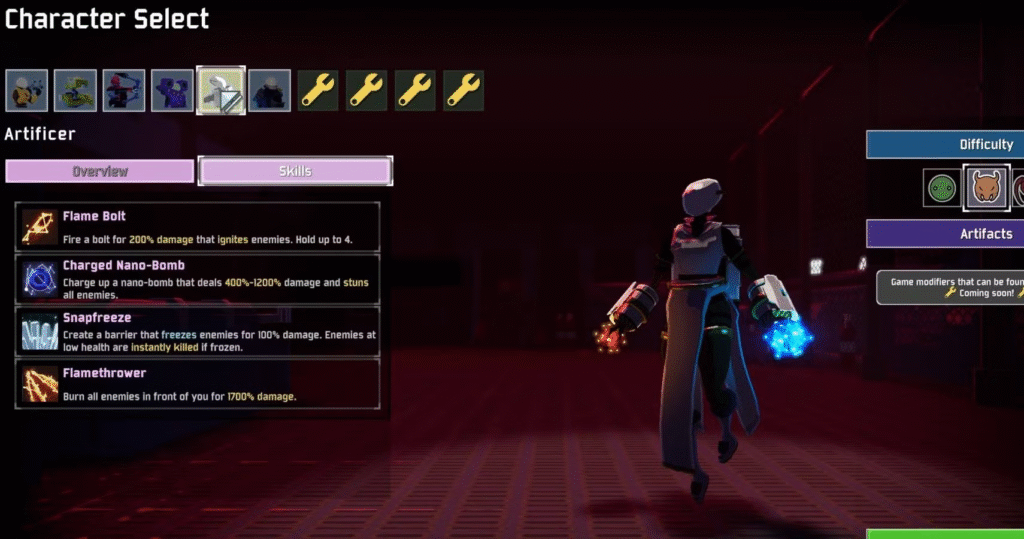
Risk of Rain 2 artificer character abilities
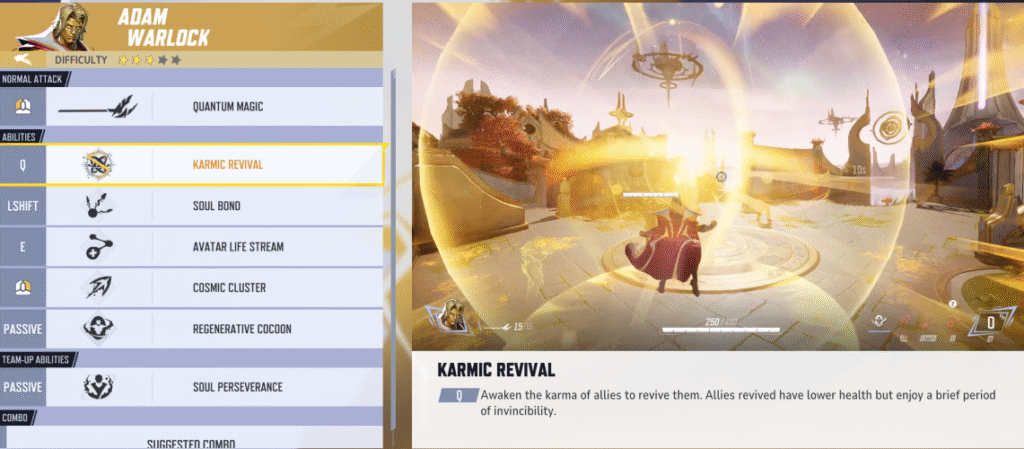
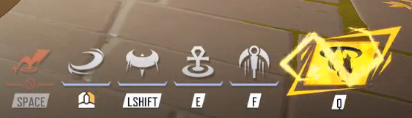
Marvel rivals UI references
Planning and Production
December
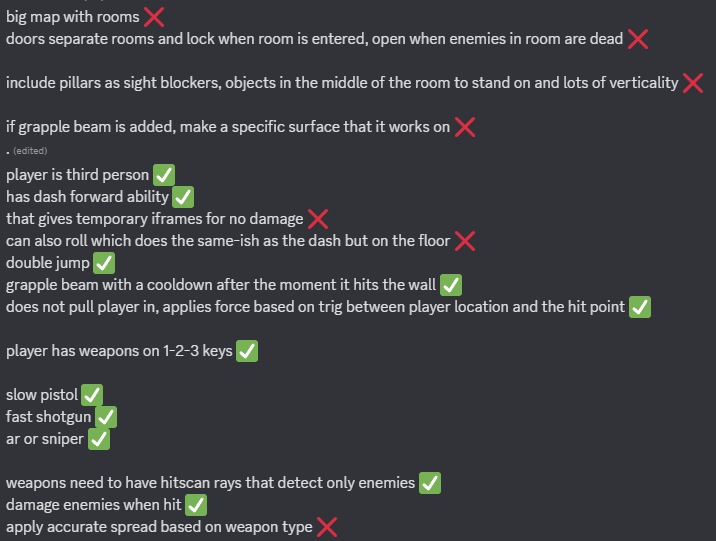
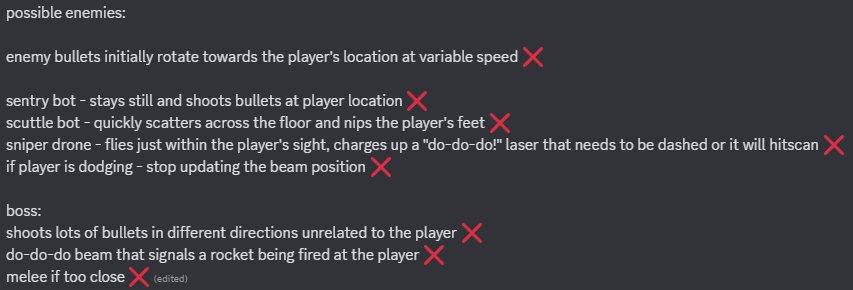

Original project scope


Original project storyline
February
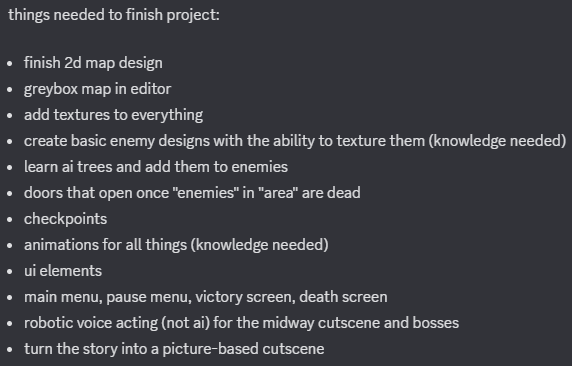
Final project goals including which skills need learning

Creating a list of vital work to finish

Scoping out learning objectives to ensure I work on the correct skills
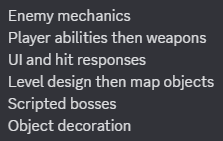
Mechanic addition priority
March

Trailer planning for showreel

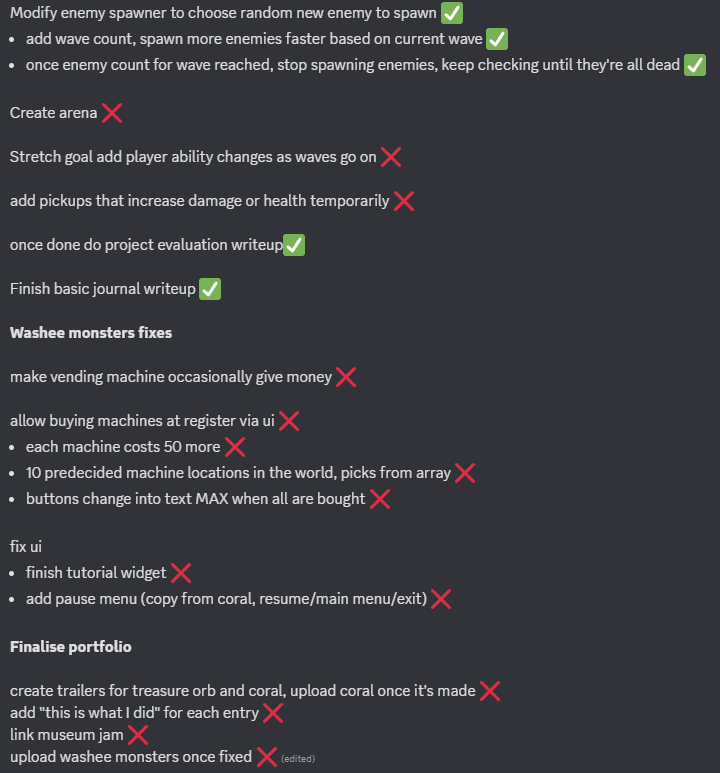
All final submission goals – ticks accurate to 07/05/25
April


Notes from discussion with lecturers related to game feel and spawning
Technique Analysis
Damage System Component
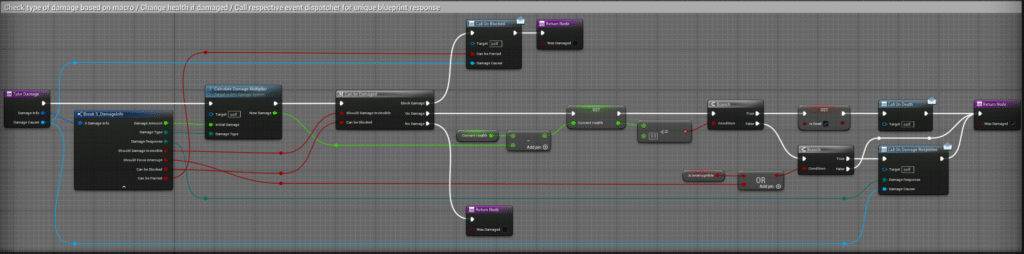
Procedure called when any actor takes damage
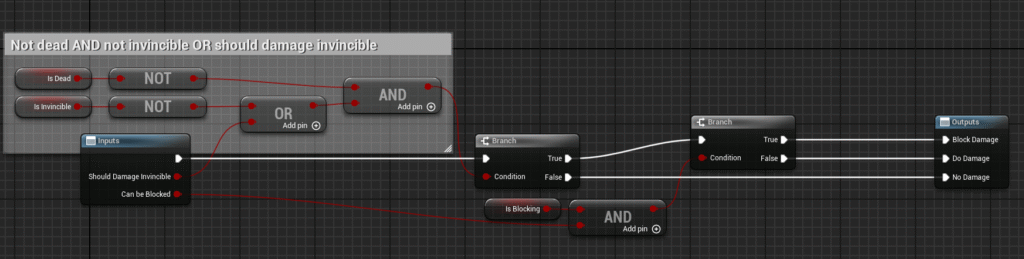
Confirm whether to take damage or not
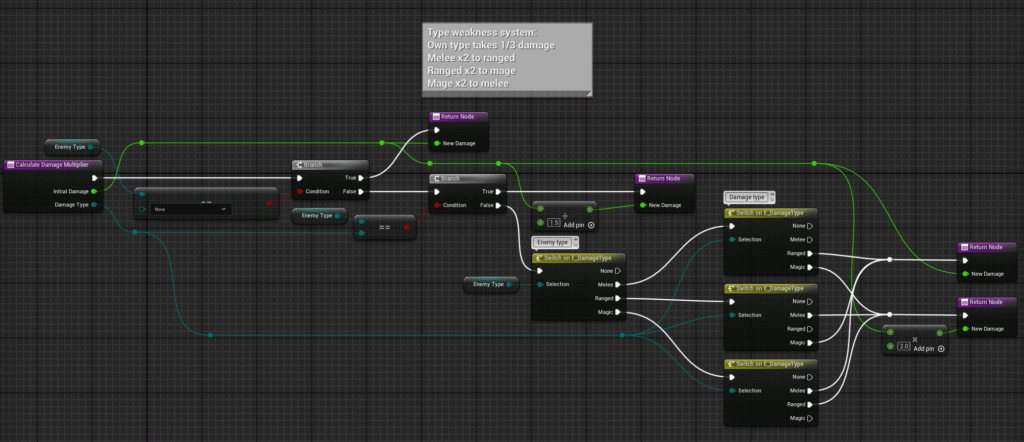
Apply modifier to damage based on type weakness system
Attack System Component
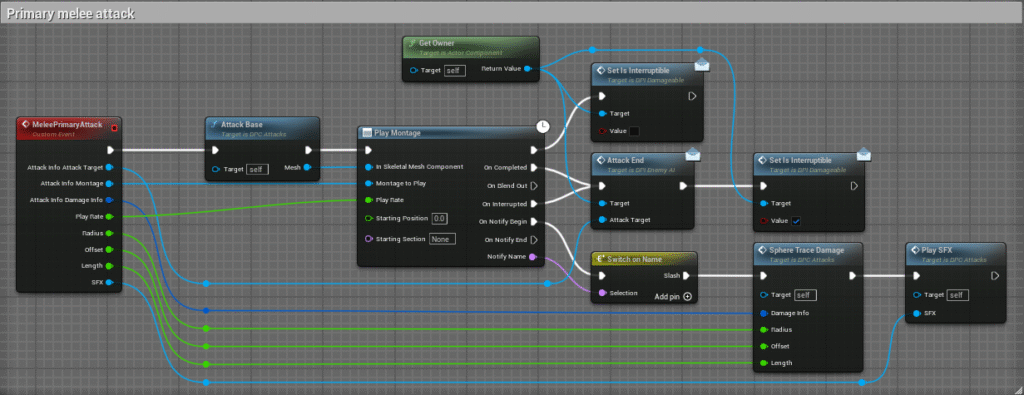

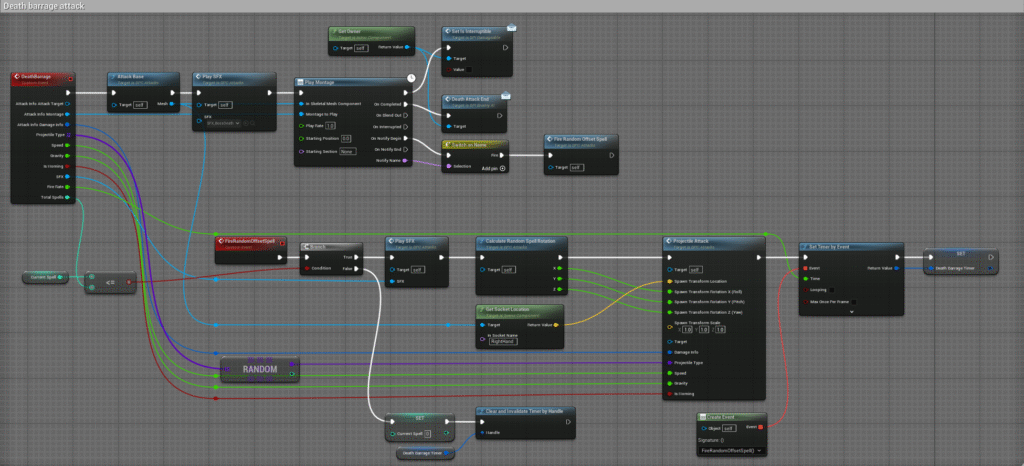
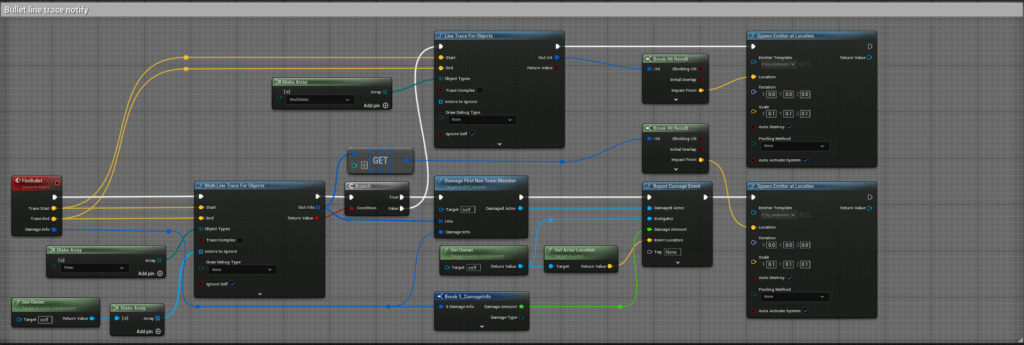

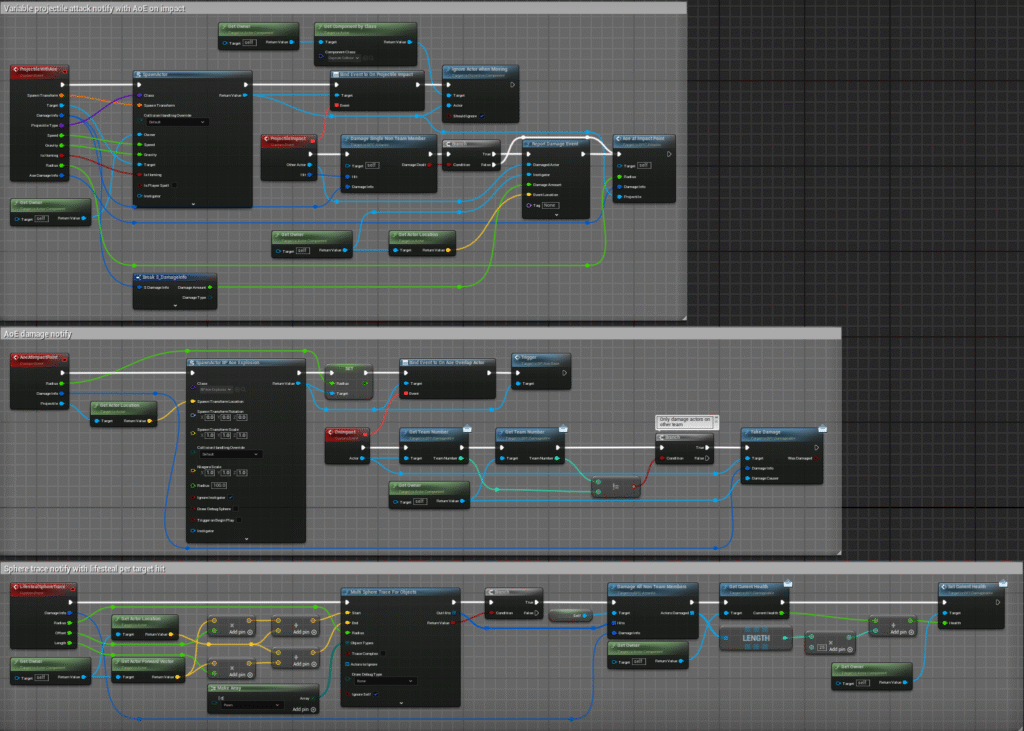
Non-exhaustive list of attacks and helpers from the attack component. Many serve similar purposes with unique variables and helpers to achieve unique effects.
AoE and Projectile Systems

AoE base contains optional trigger on begin play used in over time actors, dispatches event on overlapping an actor

Blast base with additional explosion effect

Over time base with two timers for tick interval and deletion period
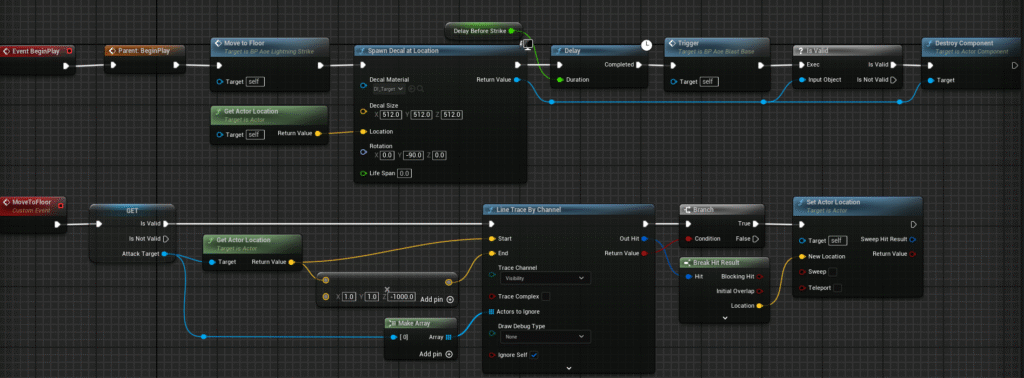
Lightning trail AoE attack base, ensures decal is applied to the floor by line tracing
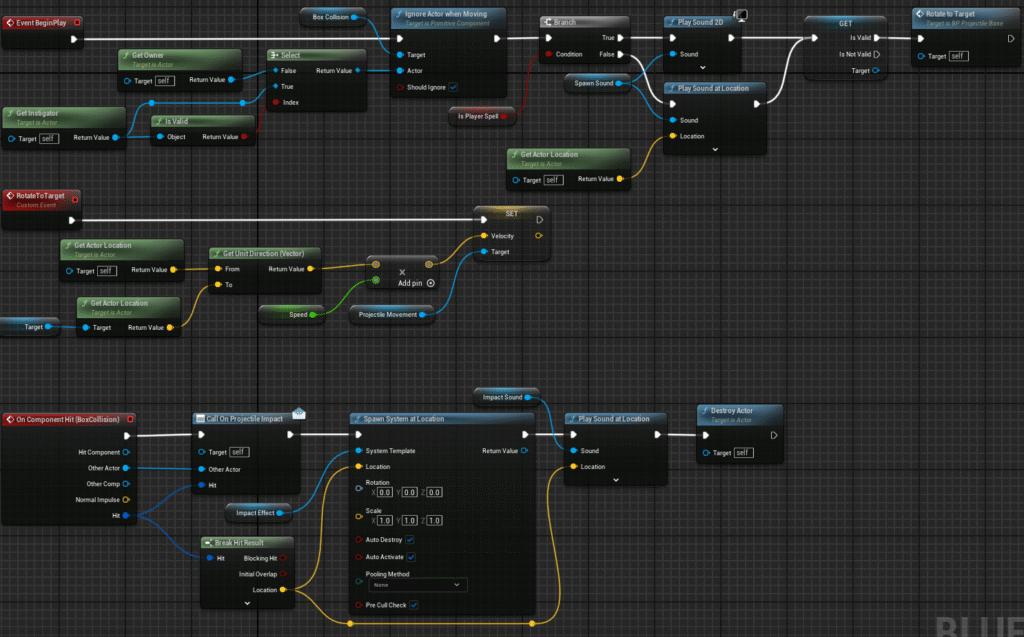
Projectile base code; contains many optional variables for gravity, spawn and impact vfx and sfx, gravity, speed etc that can be applied on spawn
Animations and Montages
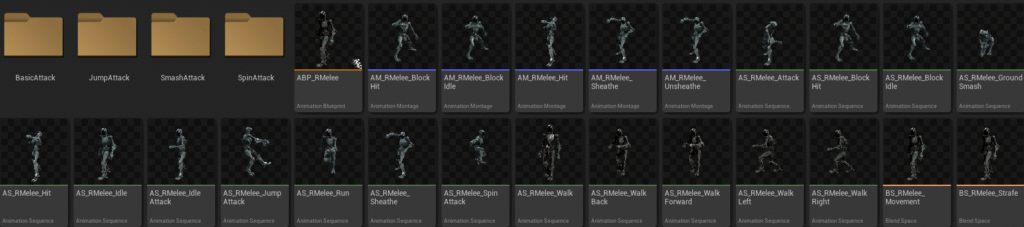
Organised animations per enemy type

Unique attack VFX colours organised by enemy colour = type
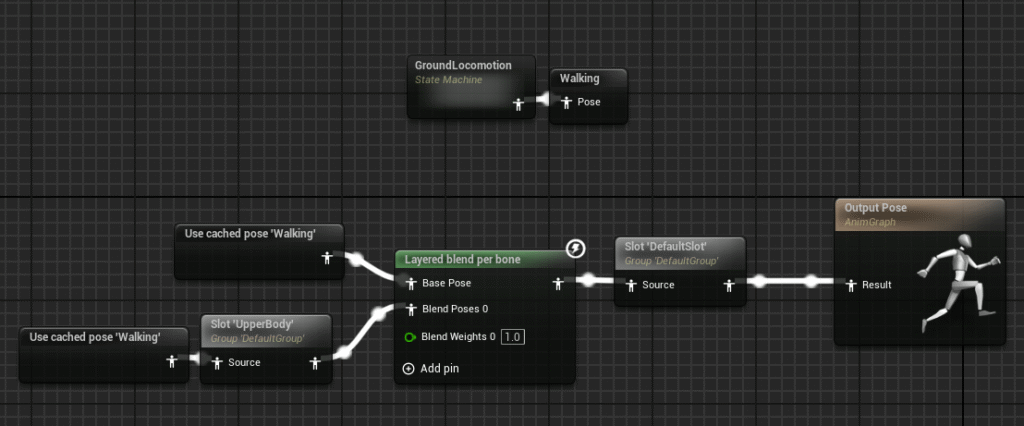
Blend all enemy montages above the legs to ensure movement does not slide
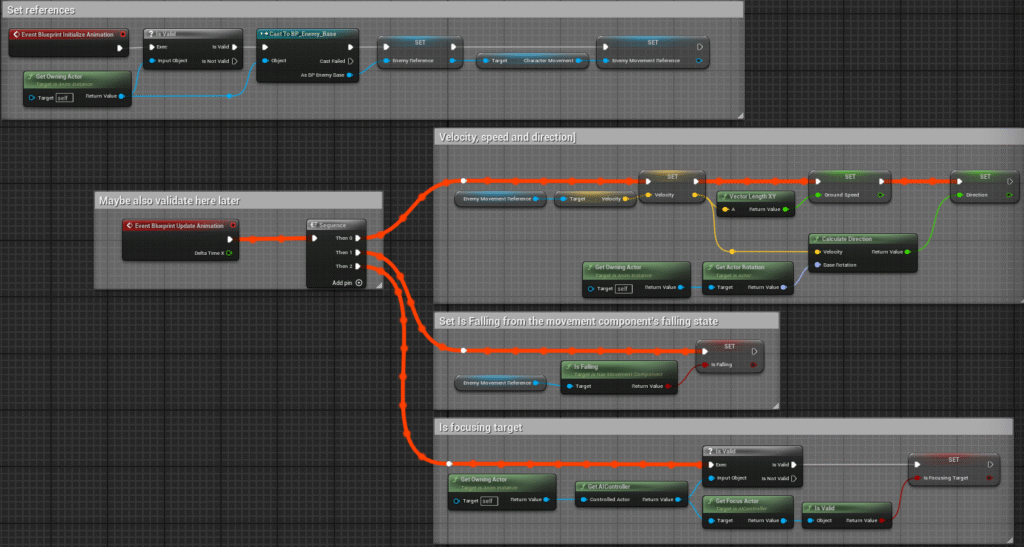
Collect references at runtime, update animation variables constantly

Player ultimate magic montage example – smash notify calls further code within the player blueprint
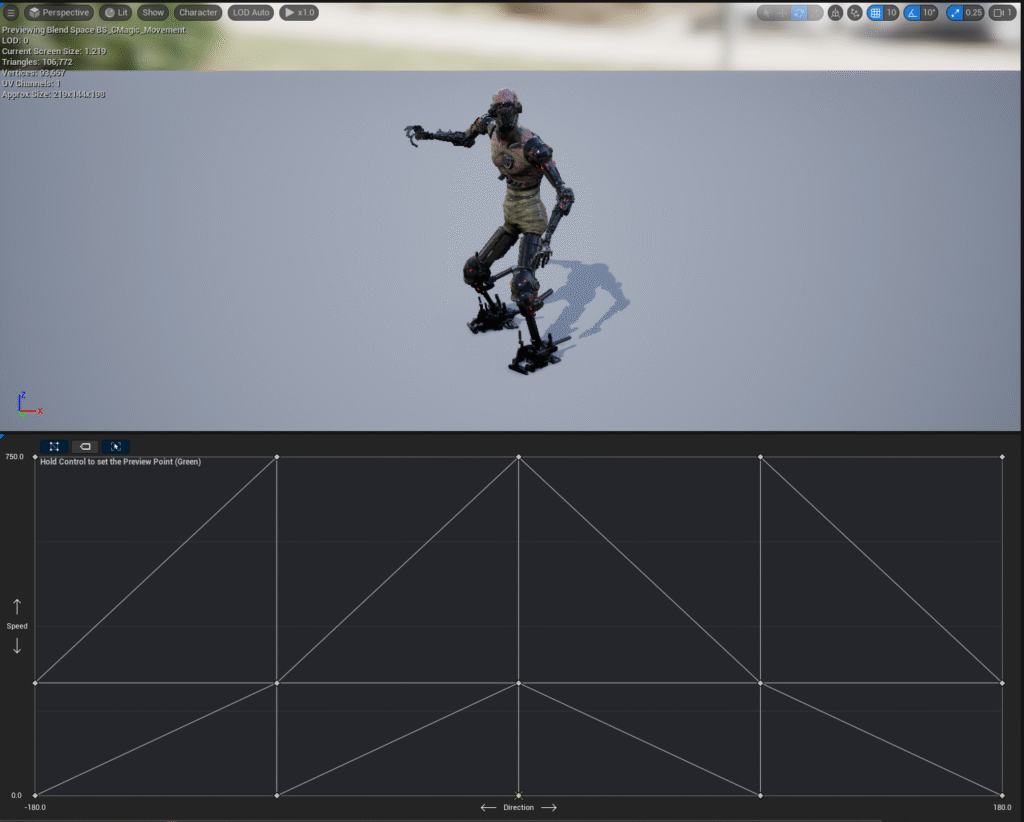
Blendspaces to blend movement when direction or speed changes, accounts for speed changes when attacking
Enemy AI

Basic enemy base behavior. Hit response sfx sounded too oppressive when triggering every hit, so they play 1/4 times.

Navlink jump system; scrapped since it did not work for all distances
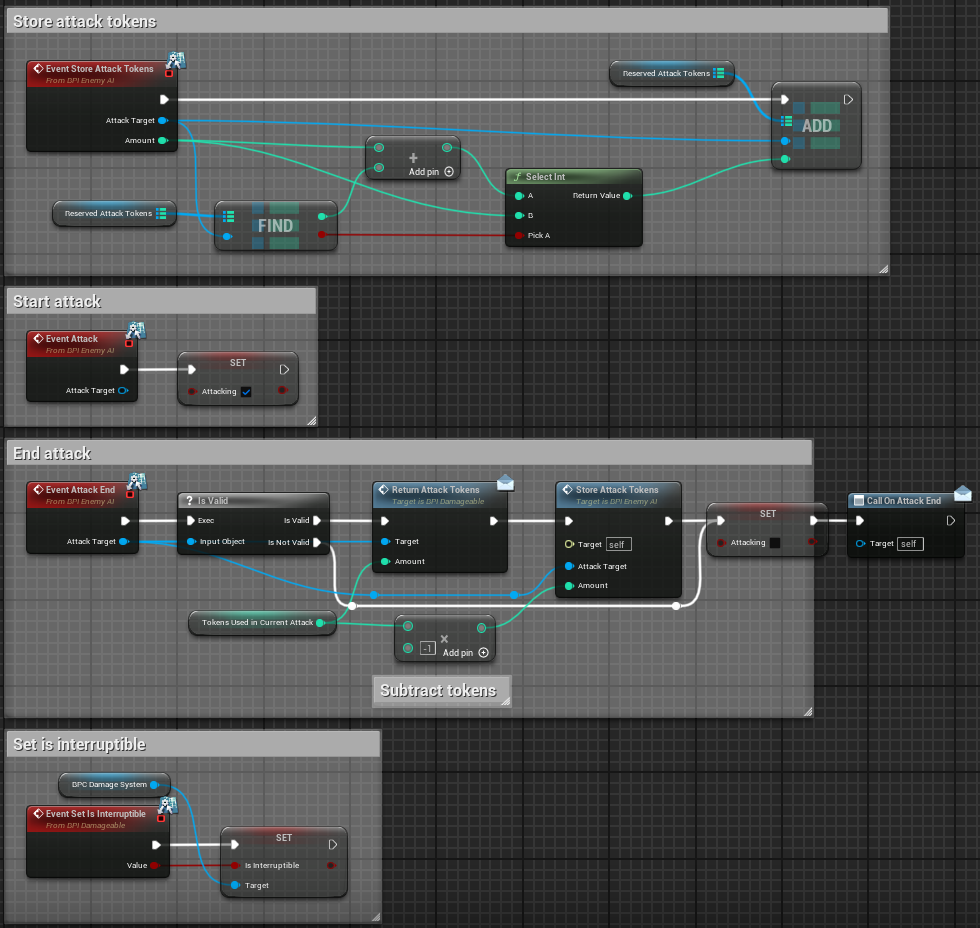
Attack token system works in tandem with attack start/end code
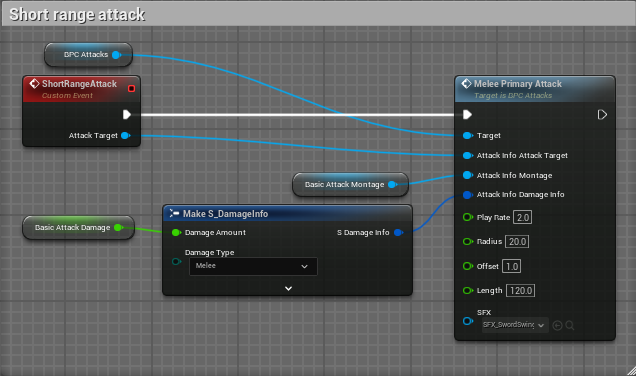
Most enemy attacks communicate through the attacks component, passing in relevant information through extensive variable inputs based on the attack.

Some attacks use helpers to complete their functions within the enemy due to the requirement of timelines.
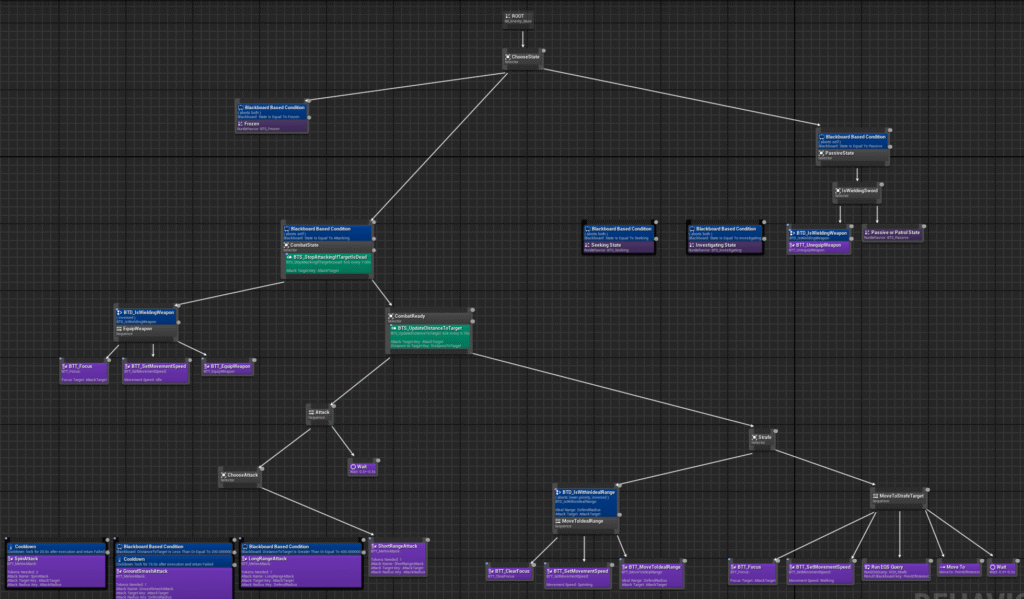
The full melee behavior tree; different melee types use different trees that have different attacks selected with otherwise identical behavior. Stronger attacks take more tokens as an input.
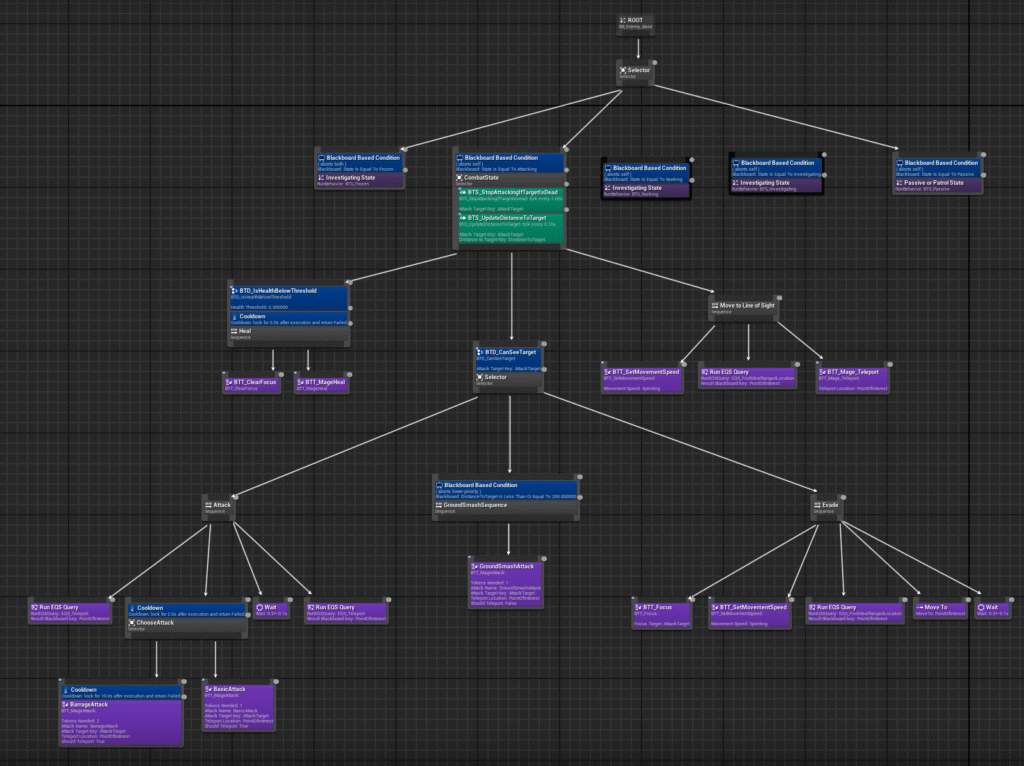
The full mage tree; unlike melee enemies, all mages use the same attacks with unique inputs to the attacks component.

The mage stats data table. All enemies pull from similar tables with unique values.

The mage attack selector. All enemies use a default attack routine that calls a unique attack based on their attacks enum.
Enemy Spawning System
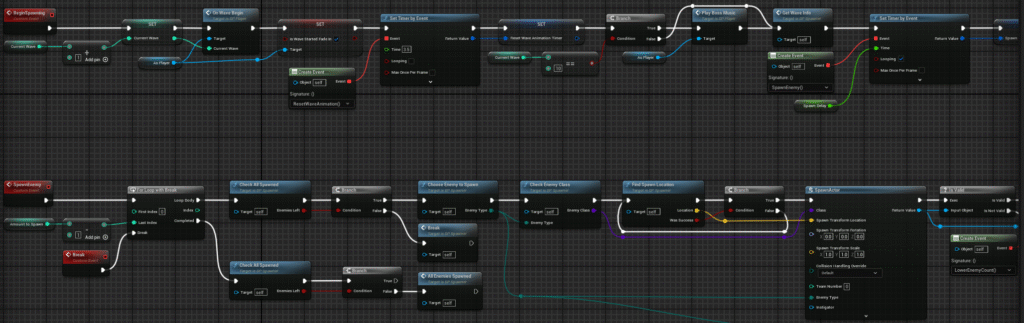
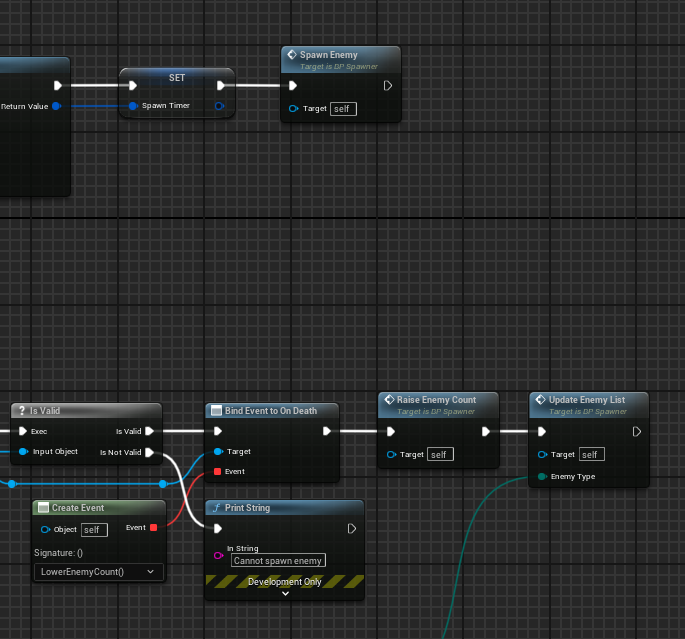
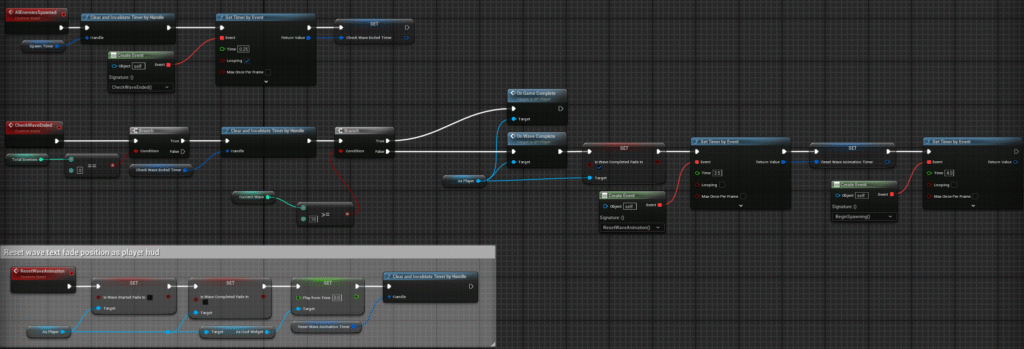
When enemies are spawned, they deal with their own attributes effectively so that the spawner does not need to track them.

The data table used to decide the contents of each wave.
Player Ability System
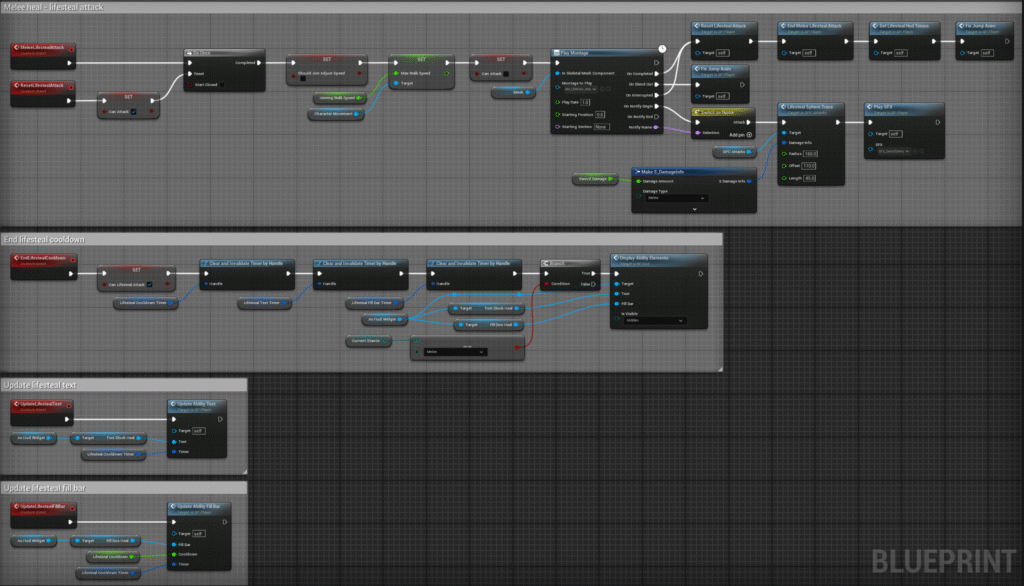
Most player abilities follow the same code pattern: attack start with montage, start cooldown and timers on attack end, clear timers on cooldown end.

Phasing applies a unique enhanced input control scheme to the player, overriding the default movement with flight controls.

Explosive barrel code: ensures it cleans up the barrel after interrupt. The validation node not being plugged in was causing the glitch encountered during testing.

Magic special attack: the AoE constantly damages all non-owner actors.
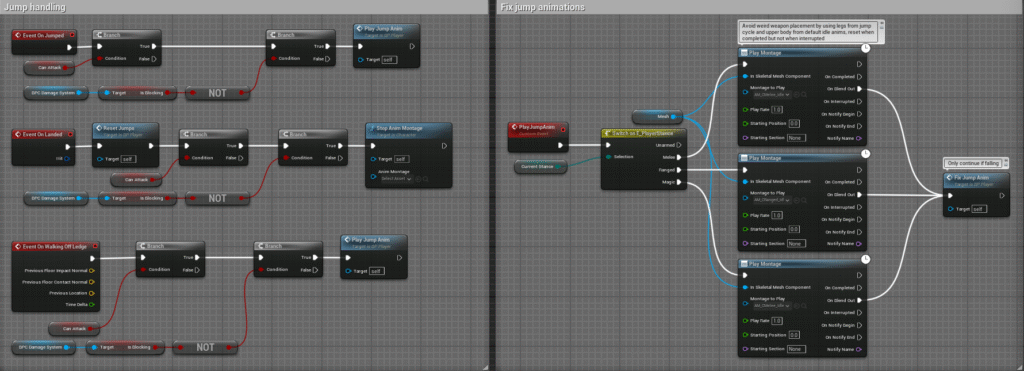
Jump animation fixes.

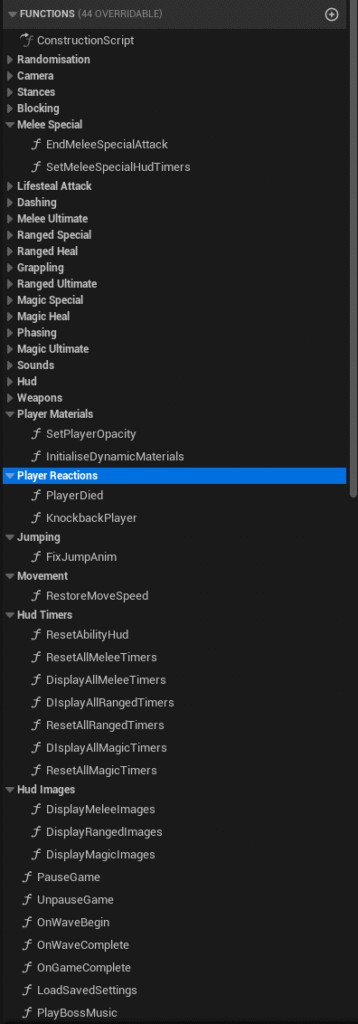
The player contains an absurd number of variables and functions so I categorised them by their groups. While I will not display them all individually here for brevity, they should be logically named for browsing if you want to learn more about them.
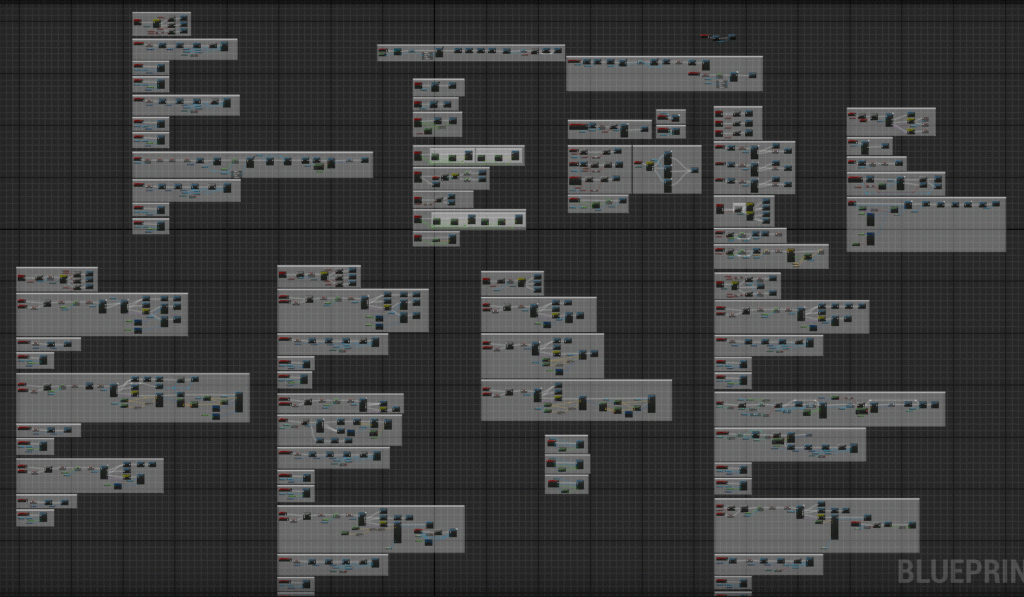
The total size of the player code. Each comment chunk is organised by the set of features they encompass; ultimates, specials, movement abilities etc.
UI Development
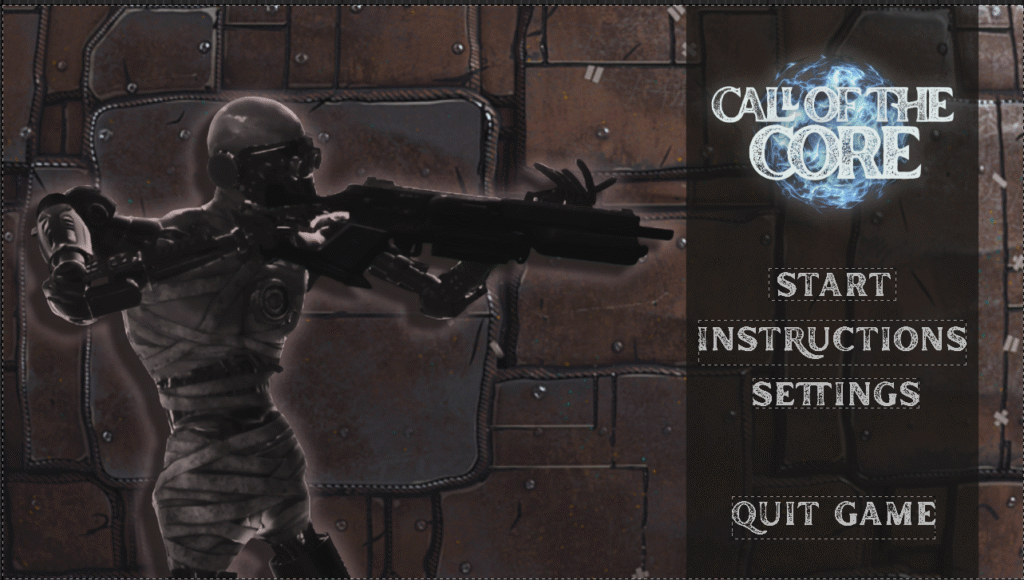
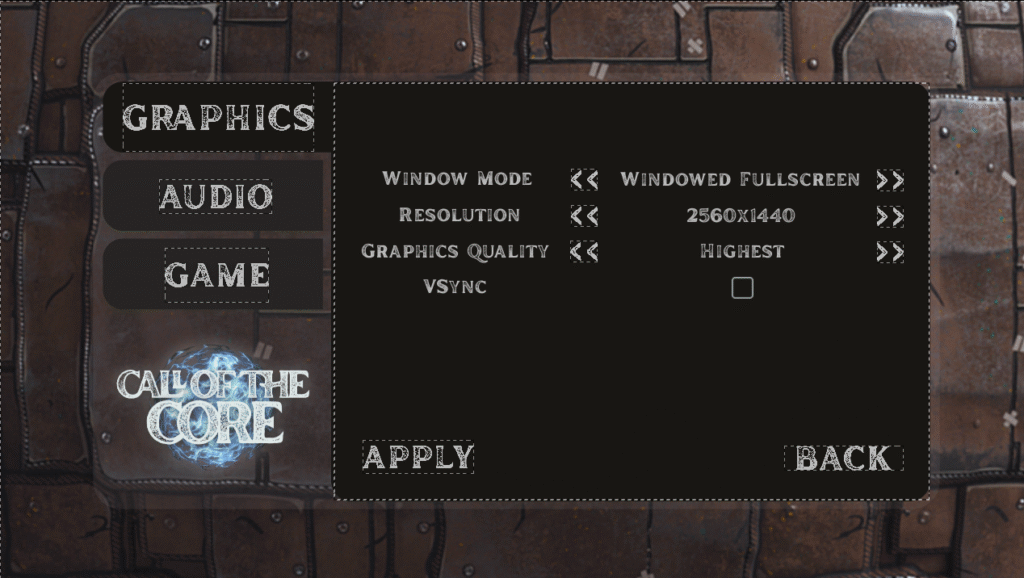
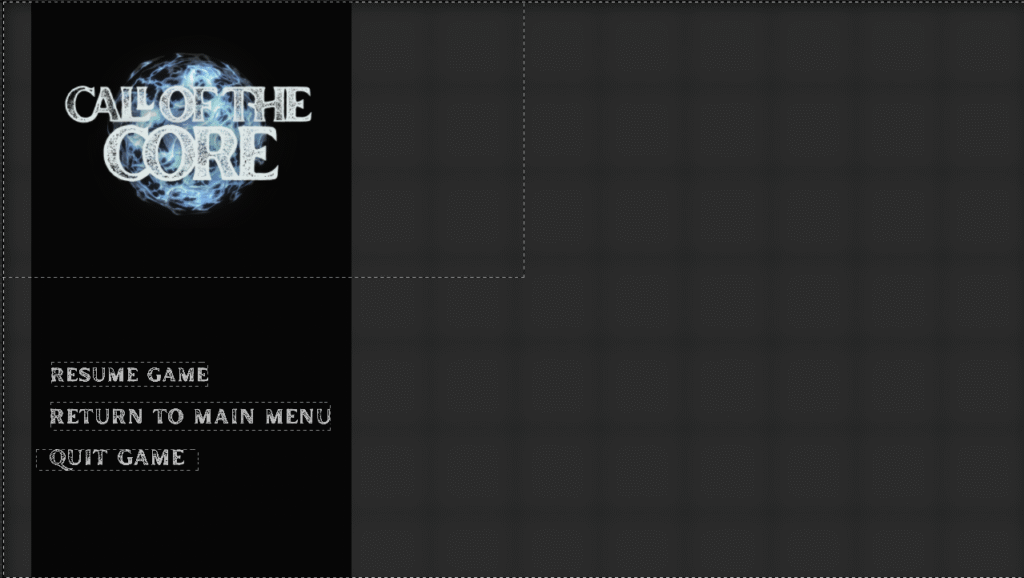
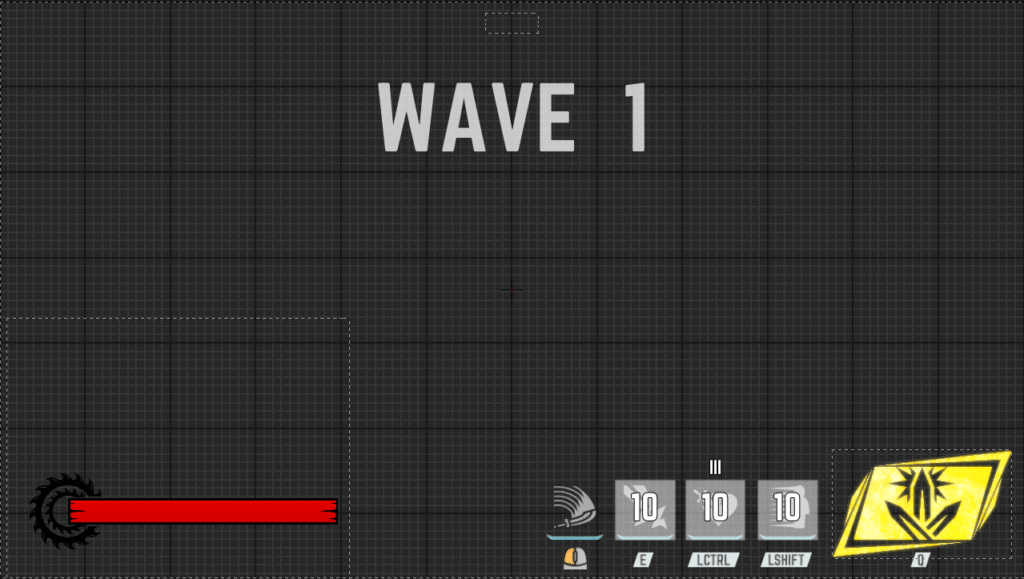

All UI designs for each menu. The clickable text boxes are all buttons with individual text images applied as their image format.

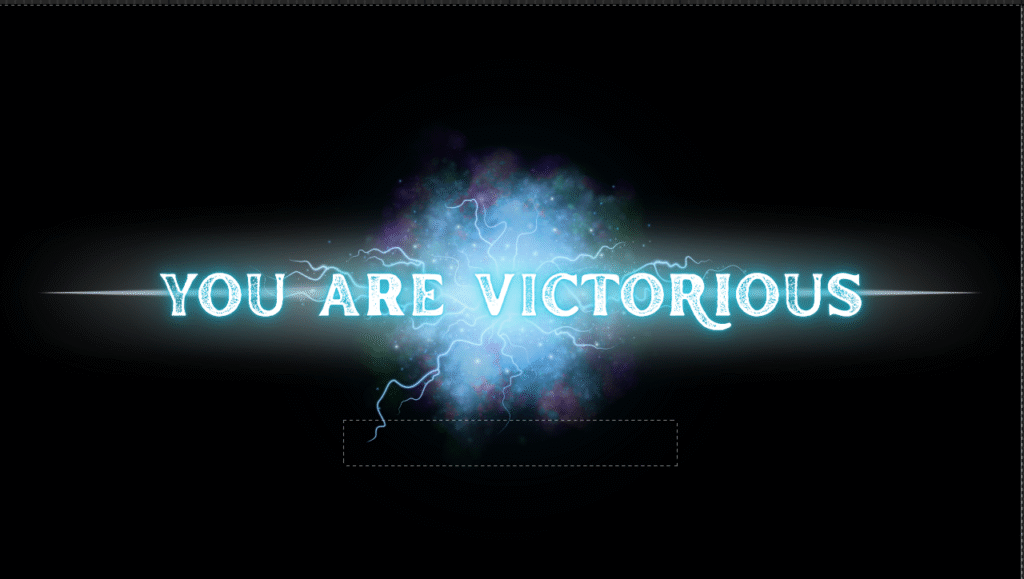
The death and victory screens are very simple: very little code depends on them, but the surrounding code uses timers based on the length of their animations.
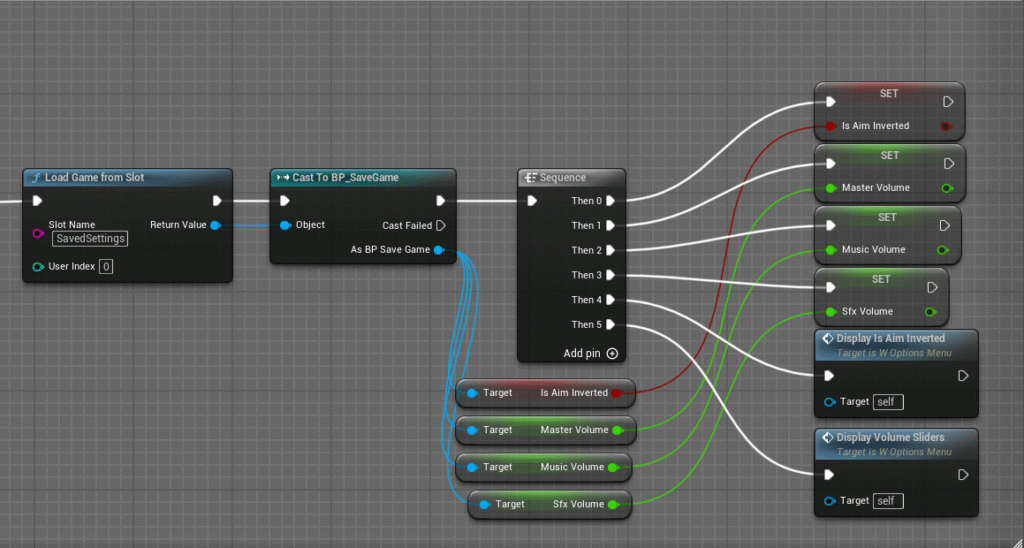

The new saving system used in my options menu respective to the back/apply buttons.
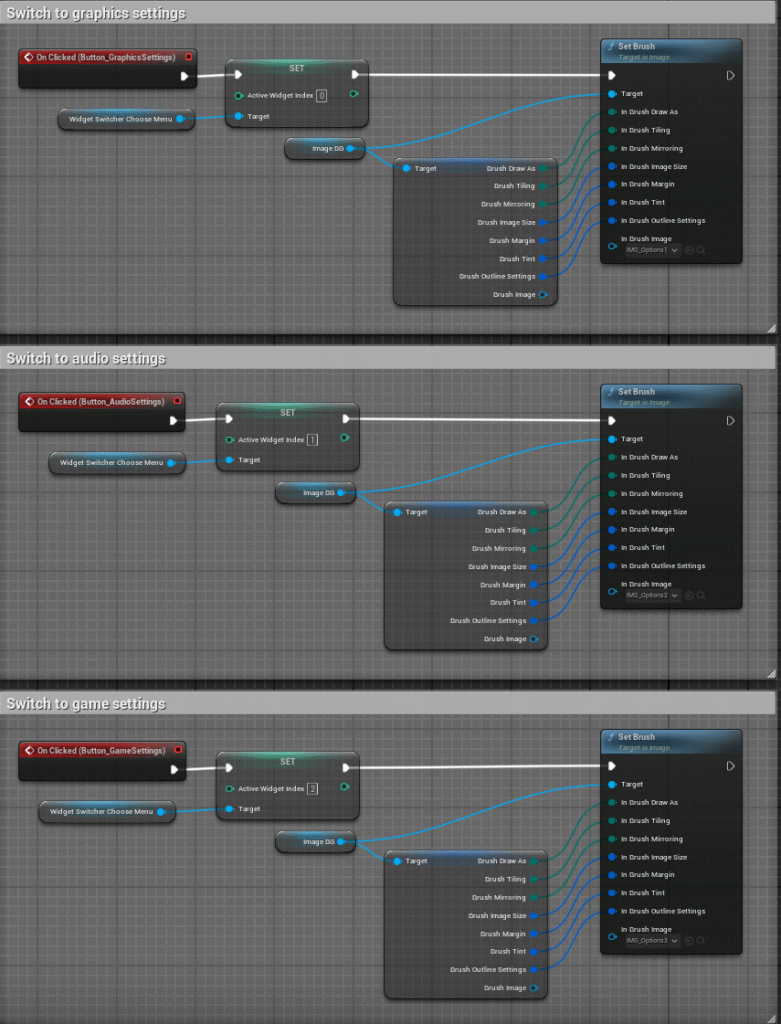
Widget switcher functionality for the 3 options menus.
Environmental Design
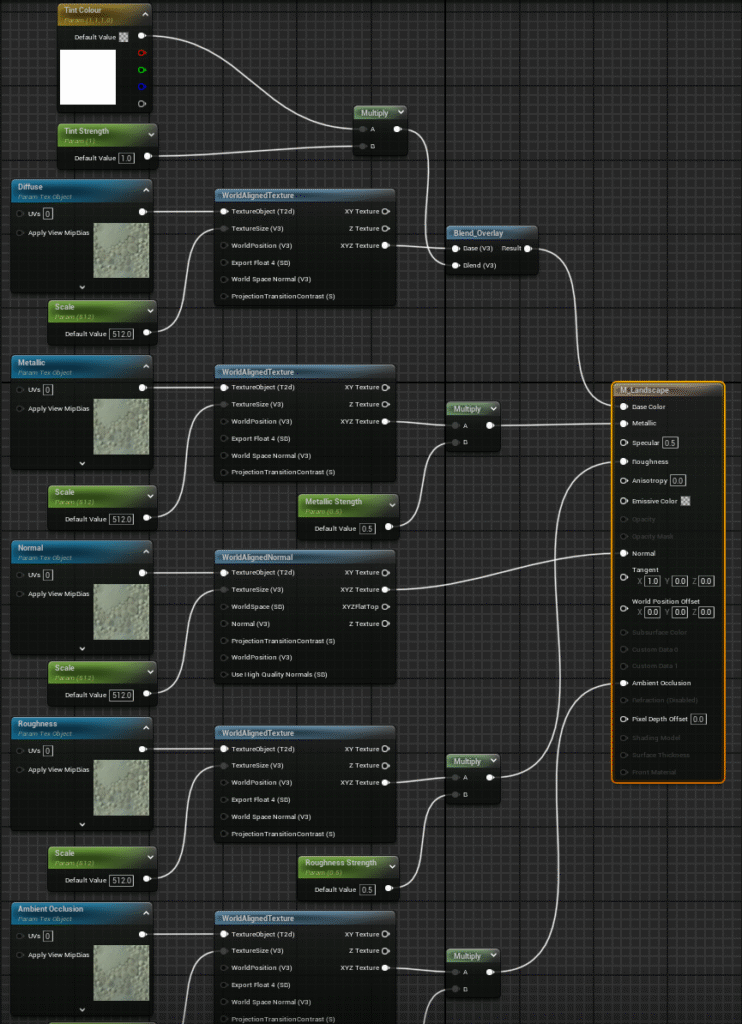
The master material used for my environments. The world aligned texture prevents strange looping texture deformations.
Audio Design

My custom attenuation settings used for directional audio.

The full soundscape for my game. Some sounds were imported slightly too loudly or quietly so I rebalanced them all individually inside the engine.

The game keeps a music list and plays randomised tracks seamlessly through event binding.

I kept a list of sound sources for referencing and copyright tracking in case I decide to publish the game in the future.

My conversion folder contains useful python scripts for audio collection and video manipulation; all of these compress video files to the maximum standard without any quality loss. I originally wanted to pursue audio development, but having foregone that path it still proved useful for creating my game trailers, sound effects and music.